Save every image on a page. The right ones.
A Chrome extension that finds every image a page loads — even the lazy-loaded and CSS-background ones — then lets you filter, remove duplicates, and download your picks as files or a ZIP. It all runs on your device.
No account · no sign-up · works offline
STAGE 01 Deep page scan IN 1 PAGE → OUT 247
The page has more images
than it shows.
One click on the toolbar icon and the scanner walks the page — up to 25,000 elements — pulling images out of layers most downloaders never open. Keep scrolling to peel the page apart, then watch it flatten back into a working set.
the obvious ones
largest resolution wins
styles, not markup
data-src waiting rooms
inside web components
STAGE 02 Precise filters · live demo IN 247 → OUT 86
247 found.
You only need 86.
Size, file type, source domain, filename — or flip “only from this page” and third-party clutter disappears. This is a working miniature of the real filter engine, running on the same assets the scanner just found. Go ahead, move things.
STAGE 03 Perceptual de-duplication IN 86 → OUT 73
Five files.
One image.
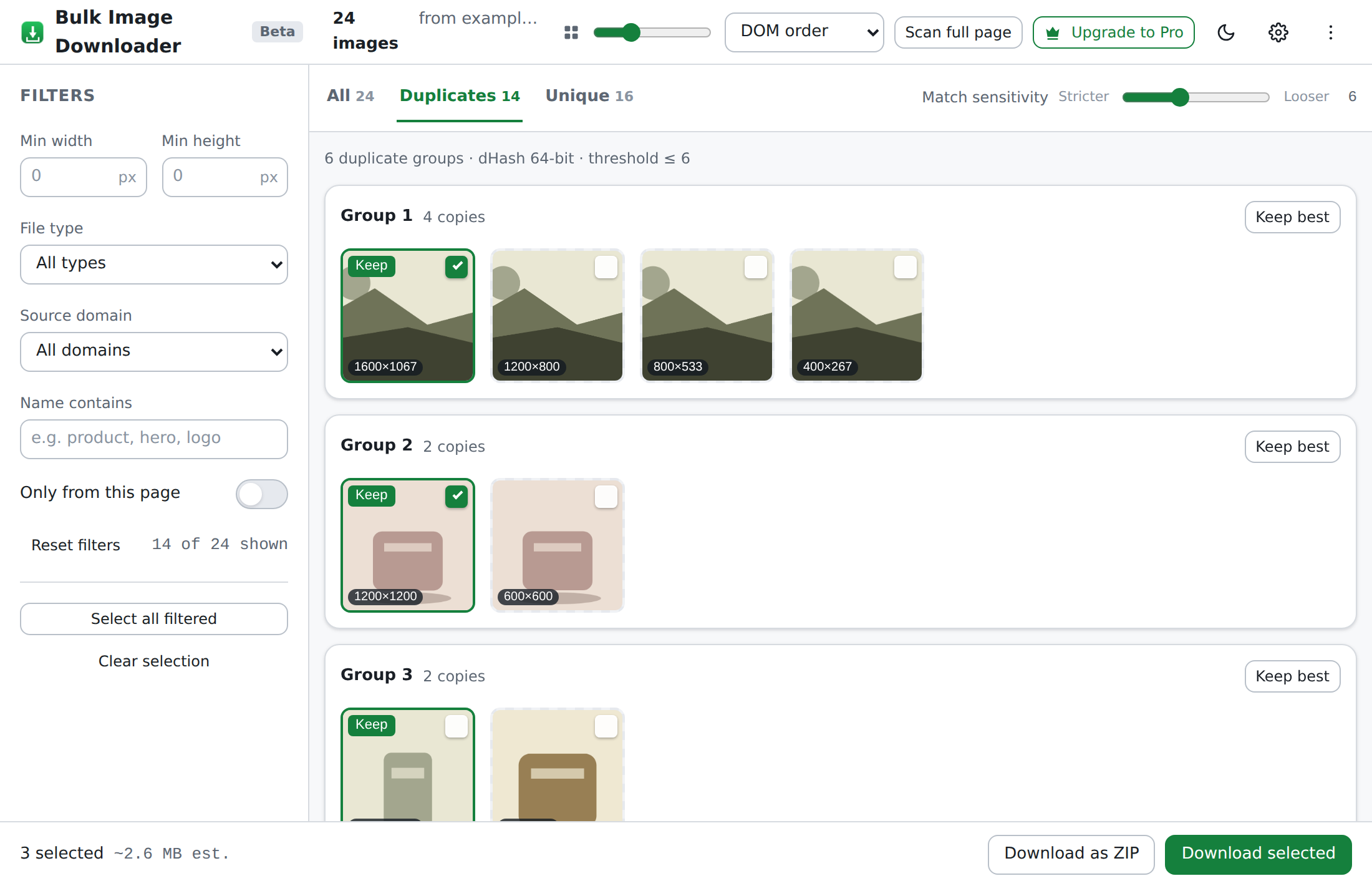
Every image gets a 64-bit perceptual fingerprint. Near-identical copies — resizes, re-compressions, small edits — land within a few bits of each other. Watch the comparator work the group below: bit by bit, distance by distance.
Comparator — dHash 64-bit · match ≤ 6
idle — waiting for group
Red bits are where the fingerprints disagree. Four resizes land within 6 bits of the original and collapse into it; the linen texture lands 31 bits away and stays its own image. Exact copies are also caught byte-for-byte with SHA-256.
STAGE 04 Download · single files or ZIP IN 73 → OUT 1 ZIP
Your picks, boxed
and handed over.
The survivors of the pipeline arrive here. Download them one by one, or bundle the whole selection into a single archive — assembled by our own dependency-free ZIP writer, right in the tab. No server ever touches your files.
domain = example.com→Downloads/example/2026-08/
auto-sort downloads into subfolders by domain, date or size
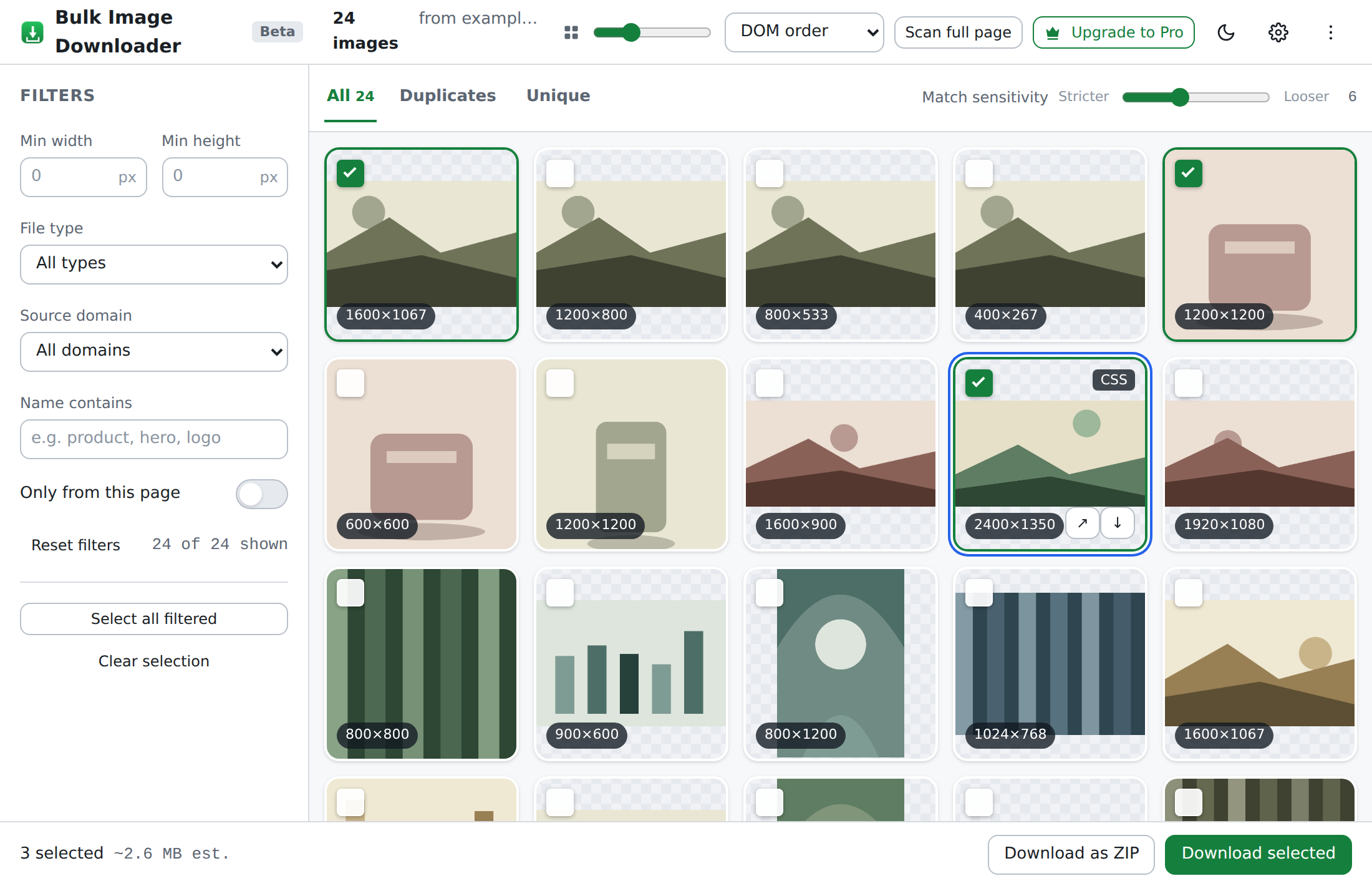
NO MOCKUPS The actual tool
This is really it.
Straight screenshots of the extension scanning a test page — filters on the left, duplicate groups in the middle, ZIP button where you’d want it.
05 · LOCAL Privacy architecture OUT 0 BYTES
Nothing left
your device.
Everything you just watched — the scan, the filters, the fingerprints, the archive — happened inside one browser tab. There’s no account to create and no server to phone home to. The extension can’t even see a page until you click its icon on that tab — zero host permissions at install.
Optional usage stats, if you turn them on, are anonymous and content-free — counts and feature names only, never URLs, filenames or image data.
INDEX FAQ
Questions, answered.
Q.01Is it free?+
Q.02Do you see my images?+
Q.03Which pages does it work on?+
Q.04Where do downloads go?+
Q.05How does de-duplication work?+
Q.06What permissions does it need?+
CONTACT SHEET From the workshop
Notes & negatives.
How perceptual hashing spots a duplicate
A plain-English tour of dHash and Hamming distance — how a 64-bit fingerprint tells two near-identical photos apart from two different ones.
6 MIN FR.02FEB 28 2026Downloading images responsibly
Rate limits, copyright, and being a good web citizen when you save a few hundred images at once.
4 MIN FR.01FEB 09 2026What a local-first extension can (and can’t) see
Our permission model in plain words: active-tab only, why we ask for one optional grant, and what “on-device” really means.
5 MINRun it on
your page.
Free during the beta. No account required.
Chrome · Edge & other Chromium browsers